Top 7 Best Wallet Apps Supporting USDT TRC20 (2026 Update)
This guide reviews the 7 best wallet apps for storing and sending USDT TRC20 in 2026, including a security warning on Atomic Wallet and new entries like OKX Wallet and Bybit Web3. Includes a side-by-side comparison table.
What is USDT TRC20?
If you’re moving USDT around and you’ve noticed some wallets charging you almost nothing while others eat into your funds — that difference usually comes down to one thing: which blockchain version of USDT you’re using.
USDT TRC20 is Tether (USDT) running on the TRON blockchain. Compared to the ERC20 version (which runs on Ethereum), TRC20 has two big advantages:
- Fees under $1 — usually $0.50–$1 per transfer, vs $2–$20+ on Ethereum
- Fast confirmations — typically 1–3 minutes
That’s why TRC20 has become the go-to version for P2P traders, remittance, and anyone moving USDT frequently. In 2026, it remains the most-used USDT standard by volume on P2P platforms like CoinCola.
You may like:
How Much is TRON in Naira?
How to Buy USDT with PayPal: A Full Guide
Inflation in Nigeria – How USDT Trading Could Help
Exploring the Top 10 USDT Trading Platforms Like a Pro
Which Crypto Trading App is Best for Beginners in Nigeria?
Top 10 Best P2P Crypto Exchanges for Beginners in Nigeria 2025
The Meme Coin Revolution: How Internet Jokes Are Bankrupting Banks
How to Choose the Best Wallet for USDT TRC20
Not all wallets are equal. Here’s what actually matters:
- Security track record — Has the wallet been hacked? (More on this below — one popular pick from 2023 has a serious red flag)
- TRON network native support — Some wallets bolt on TRC20 as an afterthought; others are built for it
- Multi-chain support — If you hold other assets, you want one wallet for everything
- Mobile vs desktop — Most P2P traders need a mobile-first experience
- Ease of use — Especially if you’re sending to exchanges or receiving from buyers
Top 7 Best USDT TRC20 Wallet Apps (2026)
1. Trust Wallet — Best Overall for Beginners
Trust Wallet is the most widely used non-custodial mobile wallet globally, and for good reason. It supports TRON natively, which means USDT TRC20 works out of the box — no setup headaches.
Why fam loves it:
- Supports 10M+ assets across 100+ blockchains
- Built-in DEX swap (swap TRC20 for other tokens directly)
- Backed by Binance — strong institutional trust signal
- Free to download, no account required
Best for: First-time crypto users, P2P traders who want simplicity
Download: Available on iOS and Android
2. TronLink — Best for TRON Power Users
If you live and breathe TRON ecosystem — staking TRX, using TRON dApps, or sending TRC20 tokens daily — TronLink is purpose-built for you. It’s the official wallet endorsed by the TRON Foundation.
Why it stands out:
- Direct TRONScan integration (verify transactions instantly)
- TRX staking built in (earn bandwidth/energy to reduce fees even further)
- Browser extension + mobile app
- TRC10 and TRC20 both supported
Best for: Active TRON users, developers, high-volume USDT TRC20 senders
You may like:
How to Use Cash App with Stablecoins
Is TRON (TRX) The Next Crypto Giant? Shocking Price Predictions for 2025!
3. OKX Wallet — Best for Multi-Chain Traders (New in 2026)
OKX Wallet has become one of the most capable Web3 wallets in 2025-2026, supporting 80+ blockchains including TRON. If you trade across multiple chains — moving USDT between TRC20, ERC20, and BEP20 — OKX Wallet handles it all in one place.
Why it’s worth switching:
- Cross-chain bridge built in
- DEX aggregator across 300+ protocols
- MPC (multi-party computation) security — no single point of failure
- Supports hardware wallet connection (Ledger)
Best for: Intermediate to advanced users who want one wallet for everything
4. Bybit Web3 Wallet — Best for Traders Who Also Use an Exchange (New in 2026)
Bybit’s Web3 wallet launched properly in 2024 and matured significantly in 2025. The key advantage: seamless connection to the Bybit exchange. If you’re also trading on Bybit, you can move USDT TRC20 between your Web3 wallet and exchange account instantly.
Why it’s gaining users:
- Zero withdrawal fees between Bybit wallet and Bybit exchange
- Clean UI — feels like a proper consumer app, not a dev tool
- Supports TRC20 + 30+ other chains
- Built-in NFT marketplace
Best for: Bybit exchange users, traders who move frequently between CEX and self-custody
Related:
Master the Top 6 e Naira Mobile Wallet Apps
Top 7 Bitcoin Wallet Apps for iPhone in Ghana
Best Bitcoin Wallet for Nigeria 2023: Keeping Your Crypto Safe
Find Your Perfect iPhone Gift Card Wallet: Top 5 Options to Consider in Nigeria
5. imToken — Best for Security-Conscious Users in Asia
imToken is one of the oldest non-custodial wallets in the space (launched 2016) with a strong reputation in Asia. It’s particularly popular among users in Southeast Asia and West Africa who prioritize security and reliability over flashy features.
Why it’s still relevant in 2026:
- 10+ years without a major security incident
- Audited smart contracts
- Supports TRC20, ERC20, BEP20, and 30+ chains
- Available in multiple languages including Indonesian, Chinese, Vietnamese
Best for: Security-first users, users in Asia/Africa diaspora markets
6. TronLink Pro / Klever Wallet — For TRON Staking Enthusiasts
Klever Wallet maintains a loyal following among TRON stakers who want to earn KLV rewards alongside USDT storage. It’s not our top pick for pure TRC20 usage in 2026, but if staking TRON ecosystem tokens is part of your strategy, it’s still a solid option.
Keep in mind: Klever has seen reduced development activity in 2025-2026. If you’re solely focused on USDT TRC20 storage and transfers, Trust Wallet or OKX Wallet are more future-proof choices.
⚠️ What About Atomic Wallet?
Atomic Wallet appeared in many “best TRC20 wallet” lists before 2024 — including our previous version of this article. We’ve removed it from our recommendations.
In June 2023, Atomic Wallet suffered a major security breach where over $100 million was stolen from user wallets. The root cause was never fully disclosed, and the team’s response was widely criticized. While the wallet still functions, we cannot in good conscience recommend it for storing meaningful amounts of USDT. If you currently hold funds in Atomic Wallet, consider migrating to one of the alternatives above.
Side-by-Side Comparison Table {#comparison-table}
| Wallet | TRC20 Support | Security Rating | Multi-Chain | Mobile | Best For |
|---|---|---|---|---|---|
| Trust Wallet | ✅ Native | ⭐⭐⭐⭐⭐ | 100+ chains | ✅ | Beginners |
| TronLink | ✅ Native | ⭐⭐⭐⭐⭐ | TRON only | ✅ | TRON power users |
| OKX Wallet | ✅ Native | ⭐⭐⭐⭐⭐ | 80+ chains | ✅ | Multi-chain traders |
| Bybit Web3 | ✅ Native | ⭐⭐⭐⭐ | 30+ chains | ✅ | Bybit exchange users |
| imToken | ✅ Native | ⭐⭐⭐⭐⭐ | 30+ chains | ✅ | Security-first users |
| Klever | ✅ Native | ⭐⭐⭐ | TRON + few | ✅ | Stakers |
| ✅ | ⚠️ Not recommended | 300+ chains | ✅ | — |
USDT TRC20 Contract Address
The official USDT TRC20 contract address on the TRON network is:
TR7NHqjeKQxGTCi8q8ZY4pL8otSzgjLj6tYou can verify this on TRONScan — it should show billions in total supply and daily transaction volume in the millions. If any wallet, exchange, or sender gives you a different TRC20 contract address for USDT, do not proceed — it is almost certainly a scam.
When adding USDT TRC20 manually to a wallet, use this address exactly.
How to Set Up Your TRC20 Wallet
Here’s the quick-start flow for Trust Wallet (same principles apply to others):
- Download Trust Wallet from the official App Store / Google Play
- Create a new wallet — you’ll be shown a 12-word seed phrase
- Write down your seed phrase on paper — never save it digitally, never share it
- Add TRON (TRX) as your first asset — you need a small TRX balance to pay for network bandwidth
- Add USDT TRC20 — search for “USDT” and select the TRC20 version (not ERC20 or BEP20)
- Copy your TRC20 receive address — share only this address when receiving USDT TRC20
Pro tip: Always send a small test transaction first before sending large amounts to a new wallet or address.
Safety Tips for Storing USDT TRC20
- Never share your seed phrase — no legitimate wallet, exchange, or support agent will ever ask for it
- Enable 2FA on any exchange account linked to your wallet
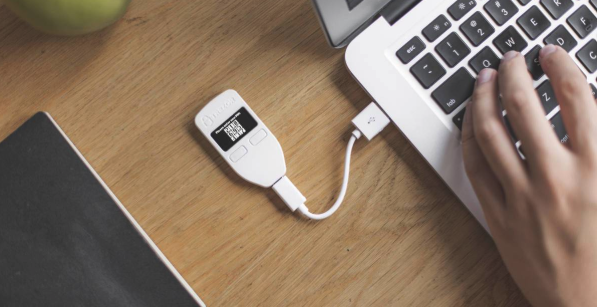
- Use a hardware wallet (Ledger, Trezor) for long-term storage of large amounts
- Keep TRX in your wallet — without TRX for energy/bandwidth, TRC20 transfers may fail or cost more
- Verify contract addresses — always double-check on TRONScan before confirming a transaction
- Update your wallet app regularly — security patches matter
Why Use CoinCola to Trade USDT TRC20
Once your wallet is set up, you need a reliable way to buy and sell USDT TRC20 — especially if you’re converting between USDT and local currency like NGN, GHS, KES, or CAD.
That’s where CoinCola comes in. As a P2P marketplace, CoinCola lets you:
- Buy USDT TRC20 directly with bank transfer, mobile money, or gift cards — zero platform fees
- Sell USDT and receive local currency in your bank account within 10–20 minutes
- Escrow protection on every trade — funds are locked until both parties confirm
- Rates 5–10% better than banks for cross-border transfers
Ready to start trading? Download the CoinCola app today — it takes under 5 minutes to set up and your first trade is waiting.
Conclusion
USDT TRC20 is the future of fast, low-cost transactions, but your choice of wallet matters. From TronLink to CoinCola, the right wallet will keep your funds safe and accessible. And remember — always verify the TRC20 contract address before sending.
FAQs
A: Trust Wallet is our top pick for most users due to its ease of use, strong security, and native TRON support. For advanced users who trade across multiple blockchains, OKX Wallet is a strong alternative.
A: Yes — USDT TRC20 itself is as safe as any other USDT version. The risk lies in which wallet you choose to store it in. Stick to well-audited wallets like Trust Wallet, TronLink, or imToken, and follow the safety tips in this guide.
A: Atomic Wallet suffered a $100M+ security breach in June 2023. While it still functions, we recommend migrating to Trust Wallet or OKX Wallet for better security assurance.
A: Yes, you need a small amount of TRX in your wallet to pay for network energy/bandwidth. Without it, your transfer may fail. Keep at least 10–20 TRX in your wallet as a buffer.
The official address is TR7NHqjeKQxGTCi8q8ZY4pL8otSzgjLj6t. Always verify on TRONScan before using.
Yes — Trust Wallet, OKX Wallet, imToken, and Bybit Web3 all support both TRC20 and ERC20. Just make sure you select the correct network when sending or receiving.
Disclaimer:
This is not financial advice. Always DYOR (Do Your Own Research) before choosing a wallet or making any crypto transaction.
Stay blessed, stay smart — and keep your seed phrase safe. 🔐